Re-imagining the Escalation Tracker
Role
Product Design
UX Design
UI Design
Client
TECO
Date
2024
The Project
TECO asked our team to re-design their escalation (complaint) tracker.
The Team
1 Designer
1 Product Manager
1 Project Lead (Engineer)
10 Developers
Product Overview
01
FIRST THING
Enhanced the employee experience for the Escalation Tracking System by optimizing customer issue resolution and compliance management.
02
SECOND THING
The Escalation Tracker has been re-designed to enhance the analysis of escalation data. This redesign aims to provide more comprehensive insights and streamline the tracking process for better decision-making.
03
THIRD THING
Facilitated a seamless shift to the new interface, reducing interference with essential customer escalation processes.
MVP Requirements
✴ Ability to create, view and manage escalations
✴ View and export escalation reports
✴ Ability to search for customers and escalations
✴ Ability to manage users, roles
✴ Ability to create escalation categories/types
The Product
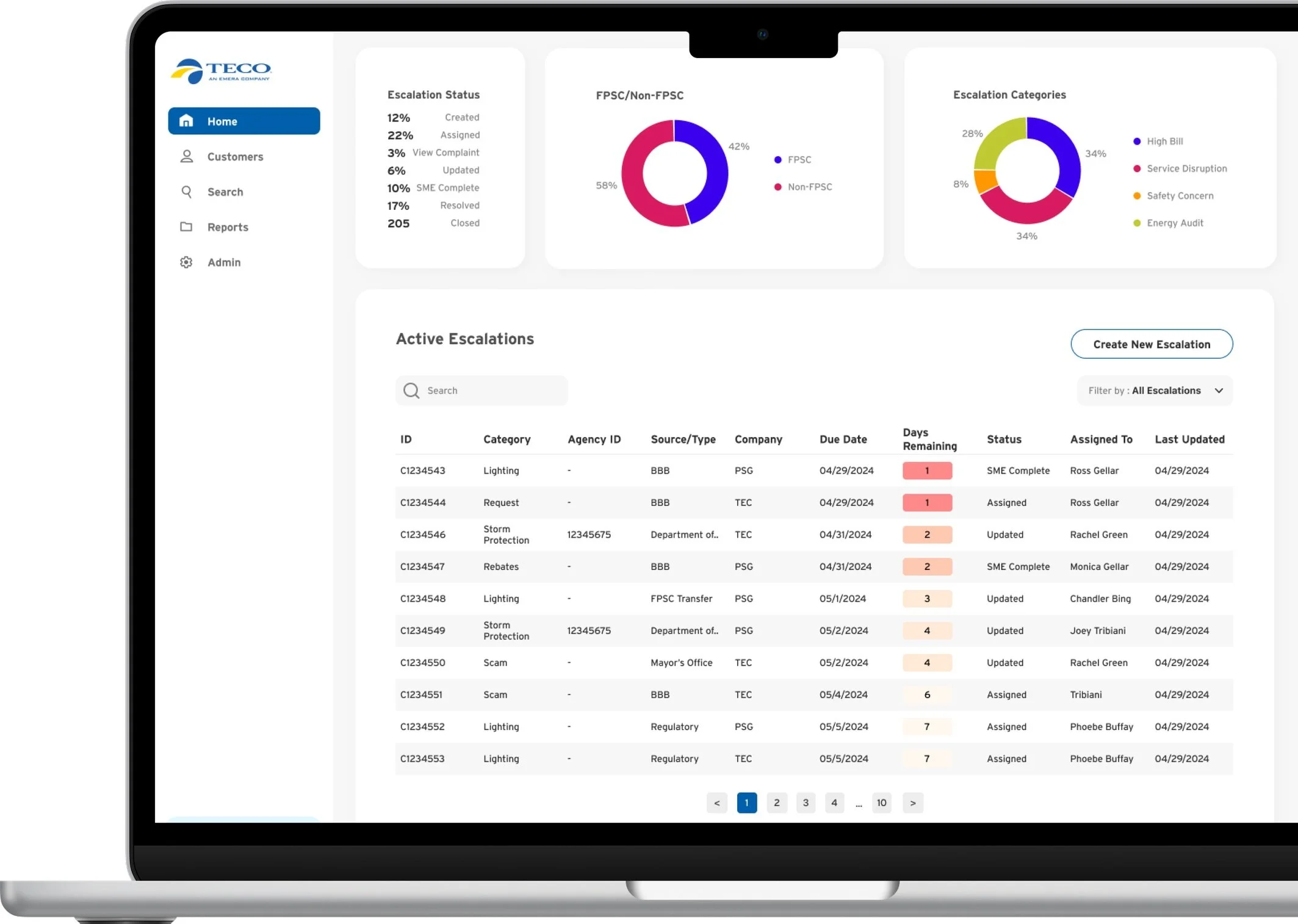
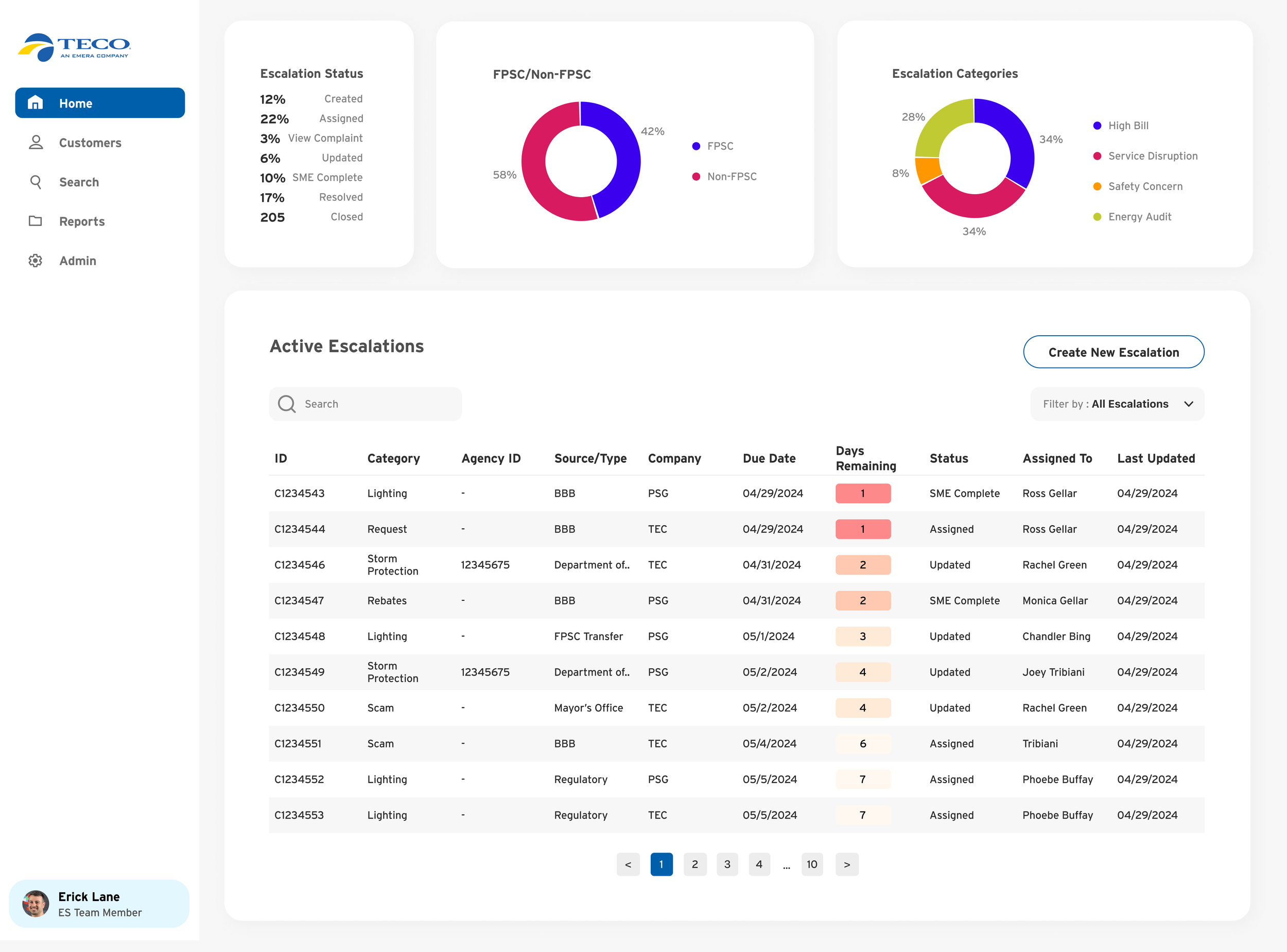
The Dashboard
The dashboard is the central hub for all info and actions. Users can create and view active escalations, along with accessing data trends. Filters and search options enable quick access to specific escalations.
Creating an escalation
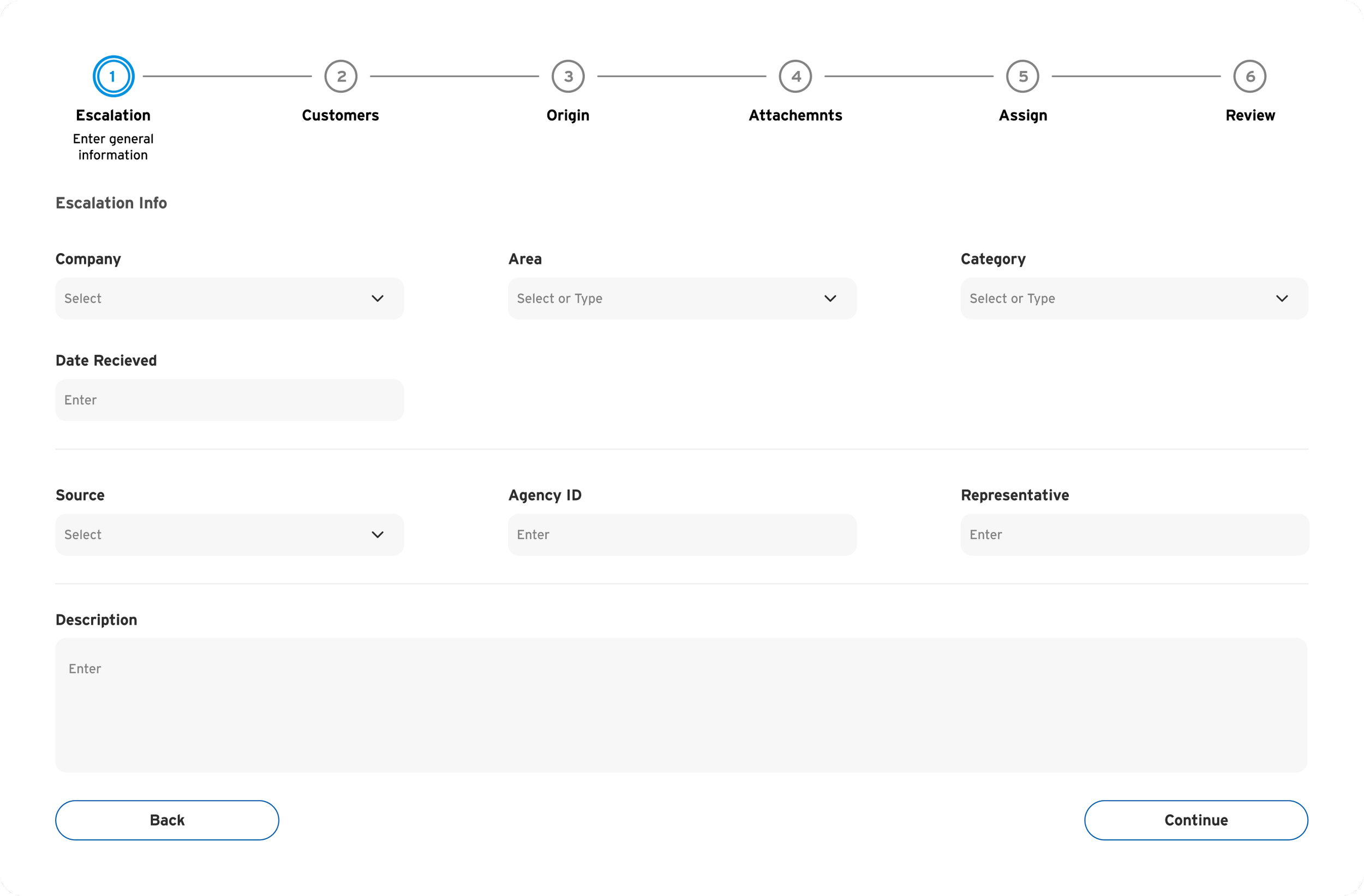
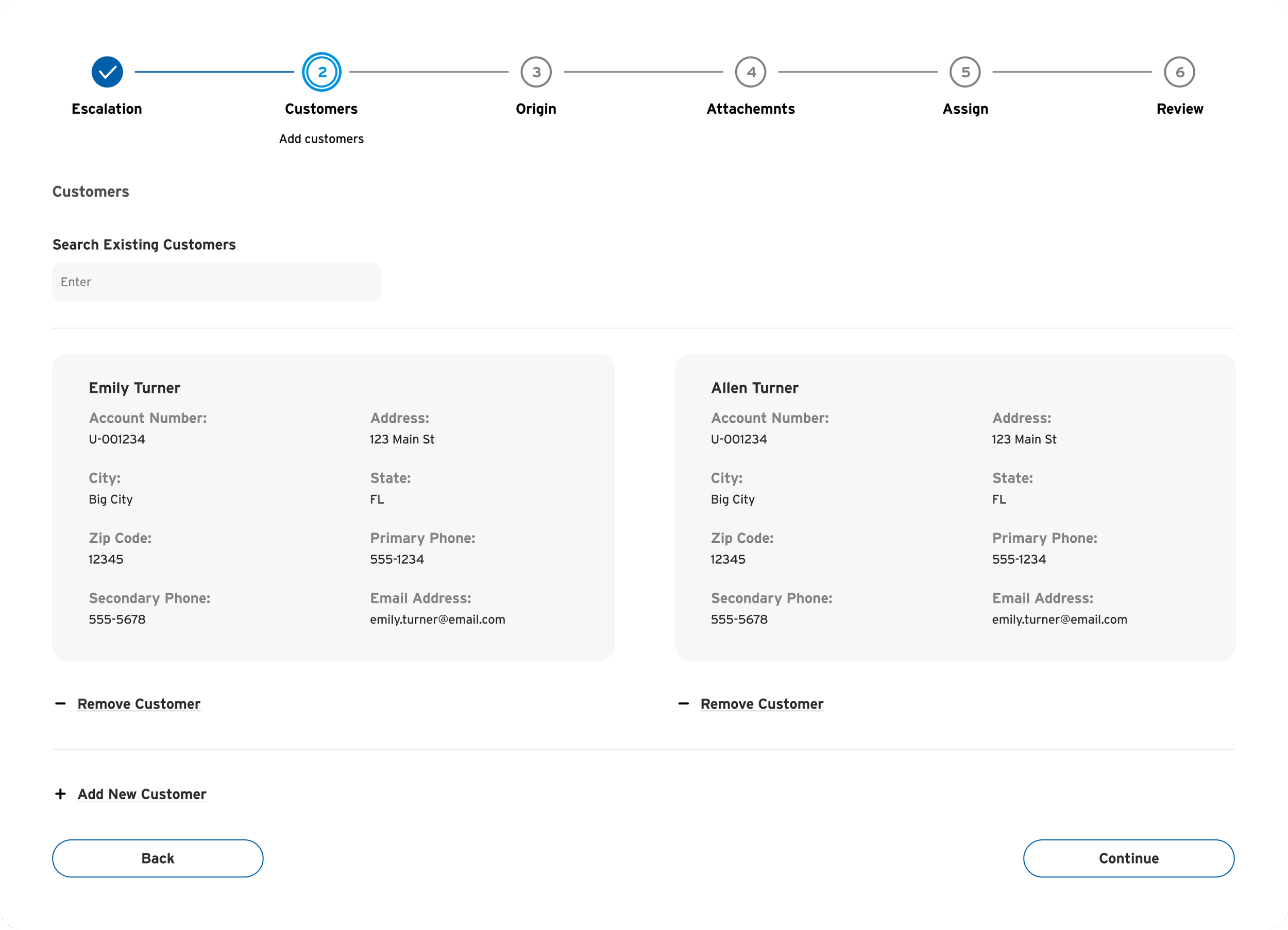
This is one of the main and most important functions of the product. The creation of an escalation involves a multi-step process that guides the user through a wizard. Each step presents unique information inputs. The same UI is employed for editing escalations, promoting user familiarity.
Escalations
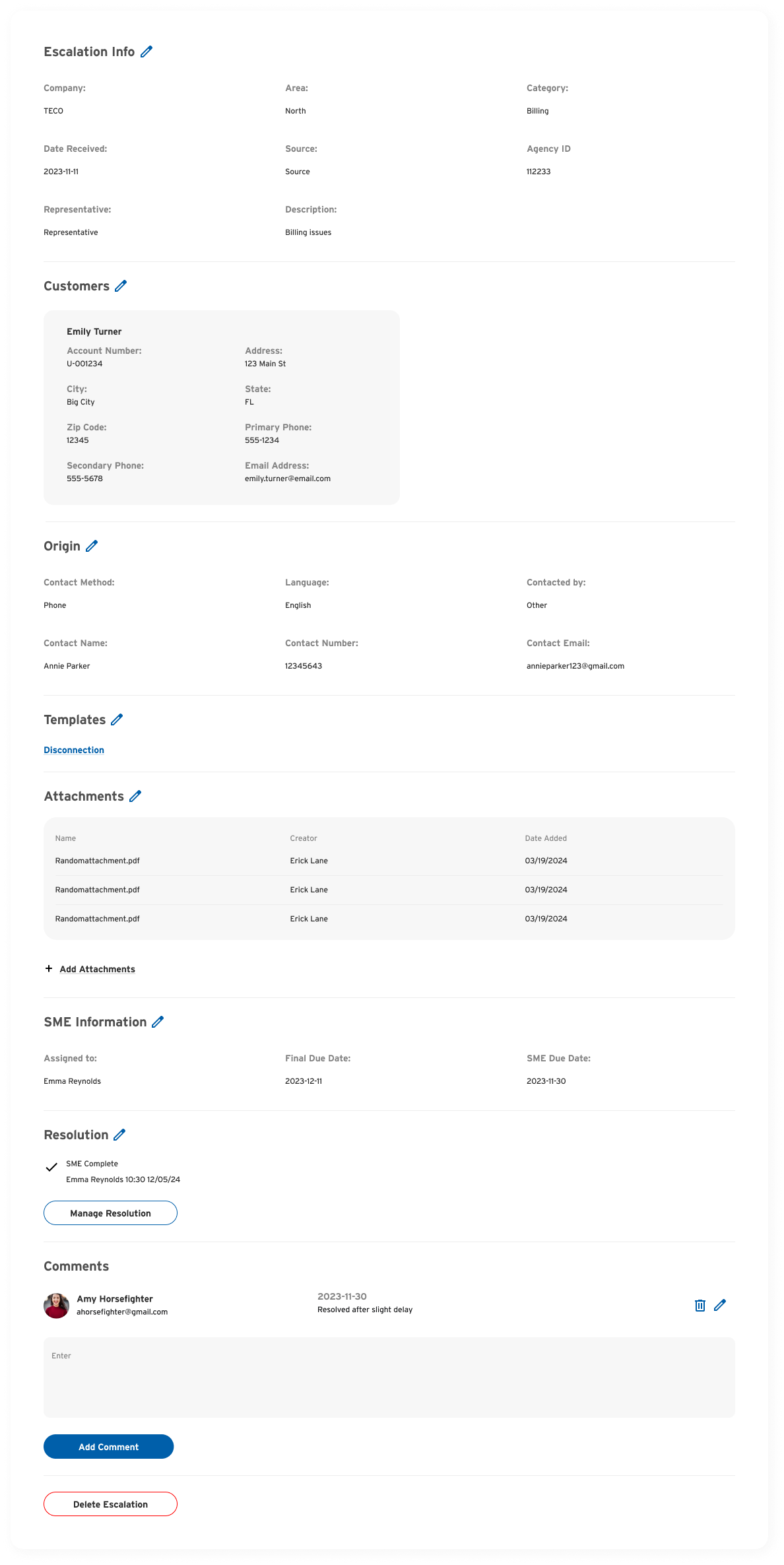
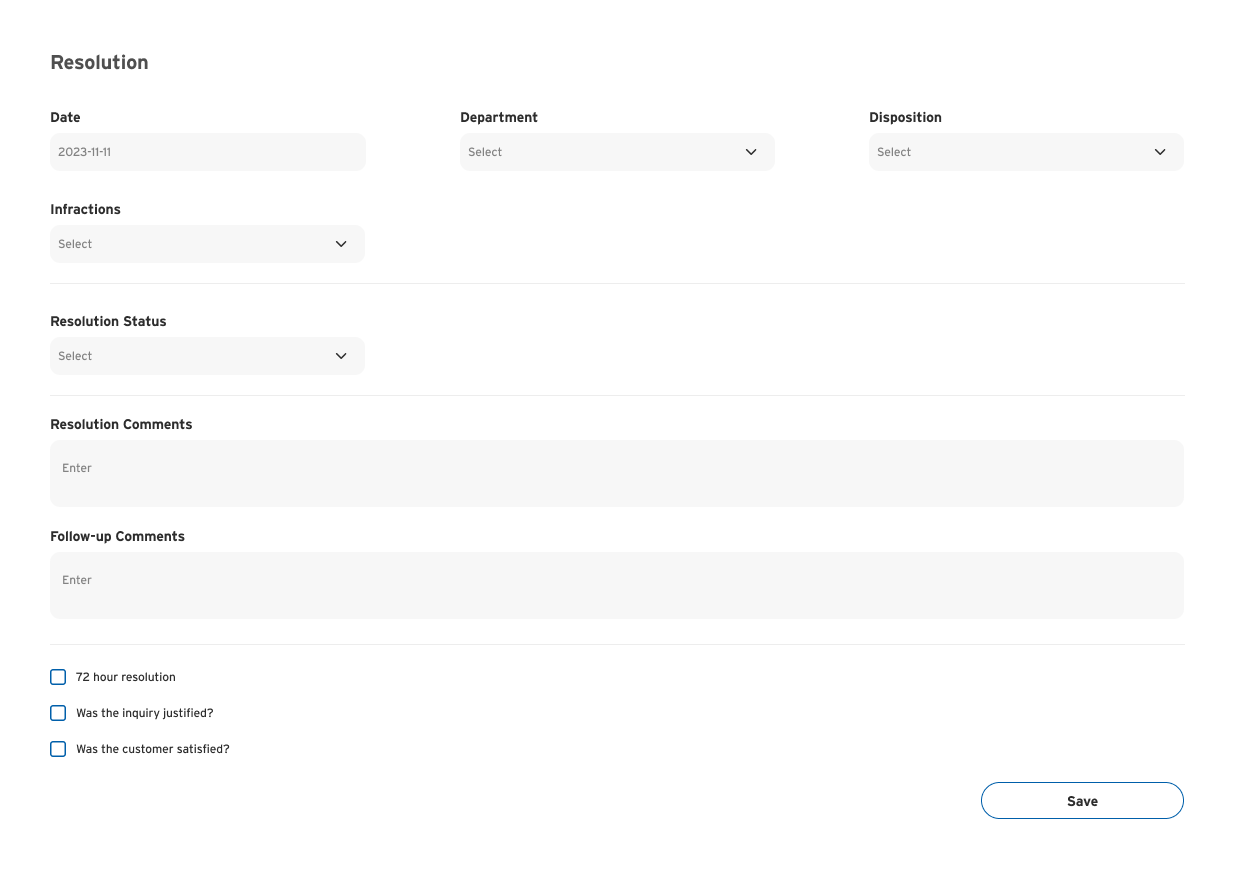
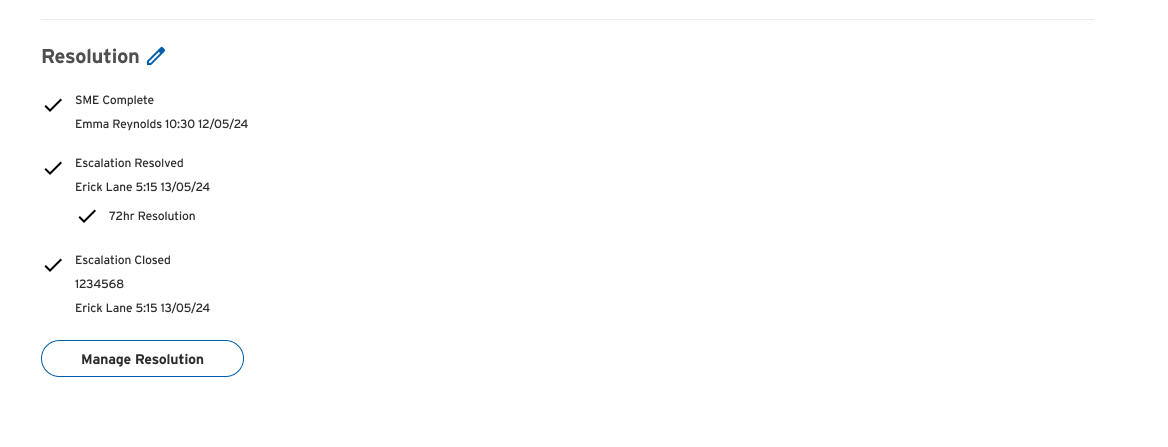
The escalation process consists of various components, encompassing all inputs involved in creating an escalation. Users have the flexibility to modify any input, such as adding templates, attaching new files, or editing customer details. Moreover, users are empowered to resolve and oversee the escalation. Due to the extensive information within an escalation, it was crucial to organize and categorize the data, enabling users to quickly grasp the details at a glance.


Search & Reporting
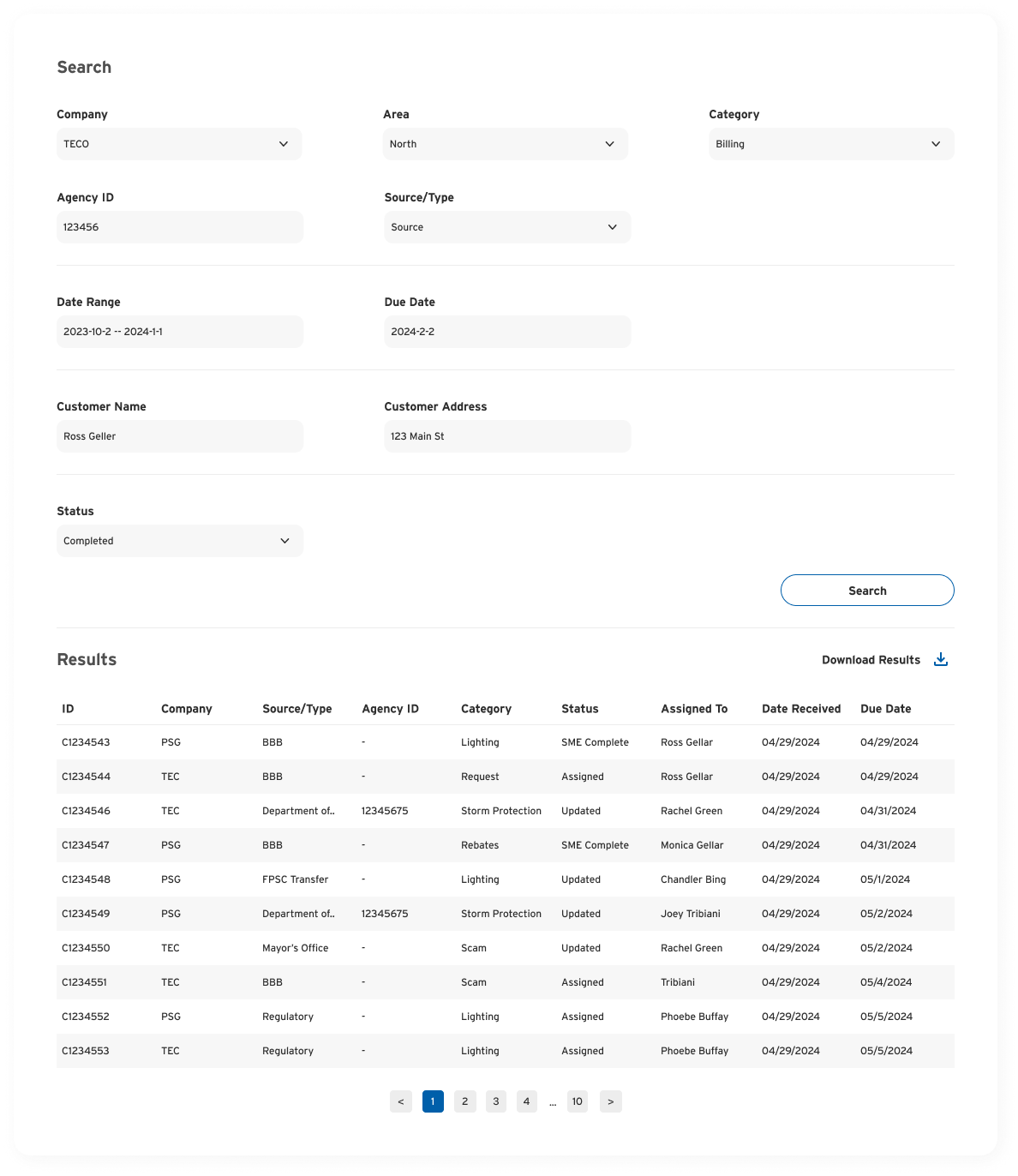
Search is an essential function of the product. Users are able to do very specific searches which result in a table. Users can also download these searches as reports.
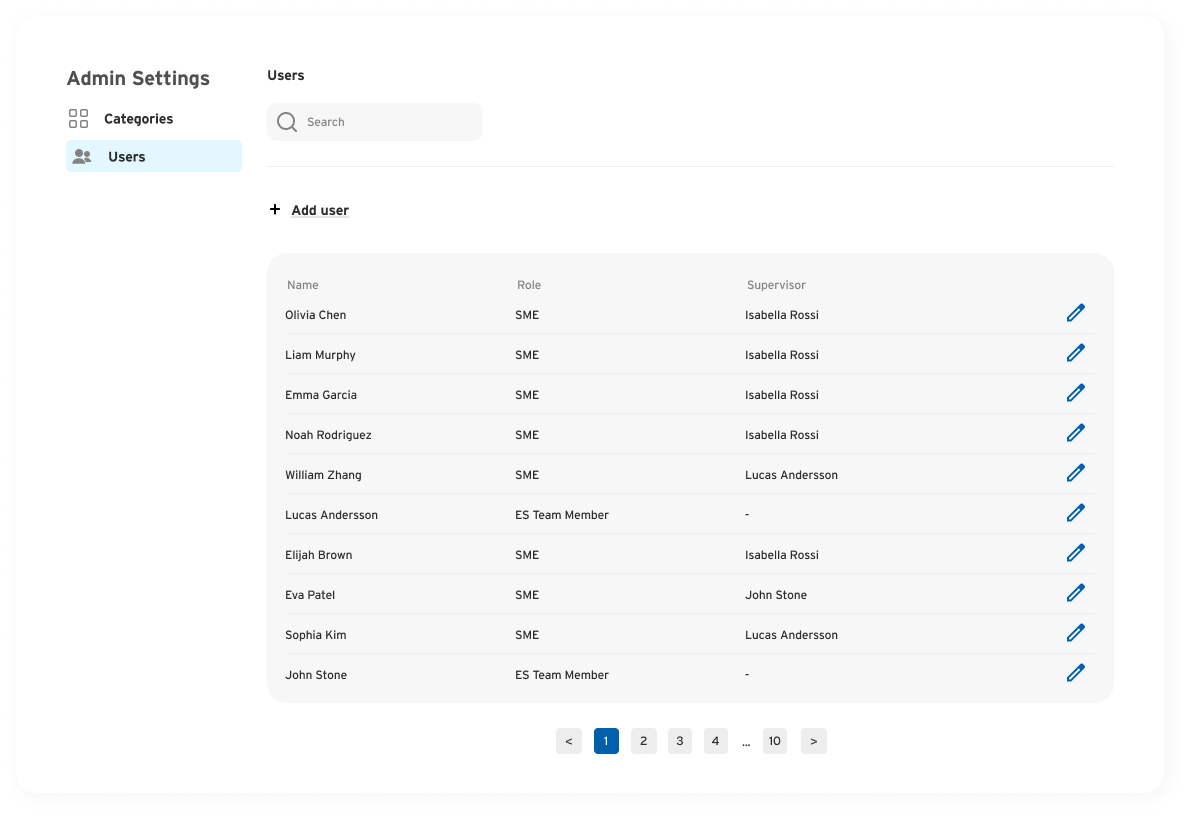
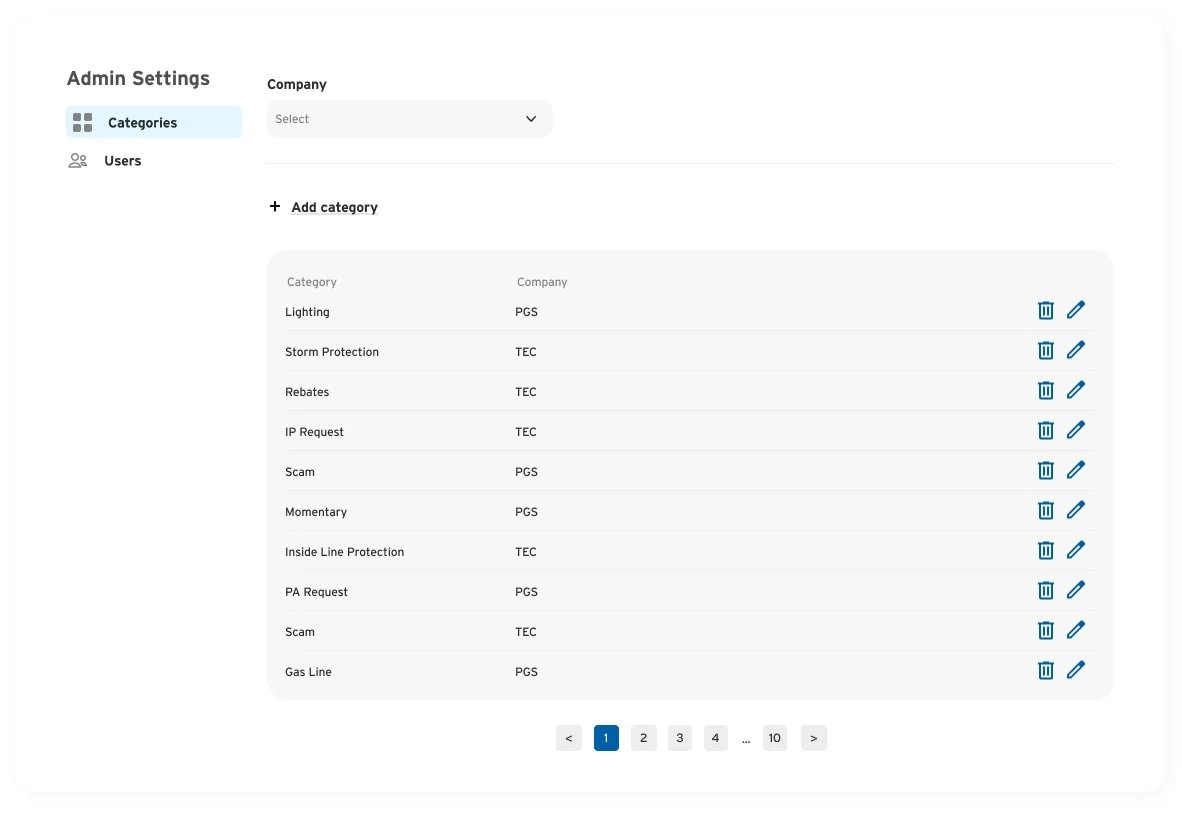
User & Category Management
Managers (ES Team Members) have the ability to manage all users in the system as well as add, edit and delete categories.